Article
Made2Manage production reports
Four reports we built to show what the floor is building, where it is scheduled, who worked on it, and how the plant is performing.
 John Pereira · PresidentNovember 2026
We built these reports for manufacturers running Made2Manage and SQL Server Reporting Services, and they are part of the reports library we draw on for every client. Each one is a starting point: we tailor the parameters, columns and layout to how your business actually runs.
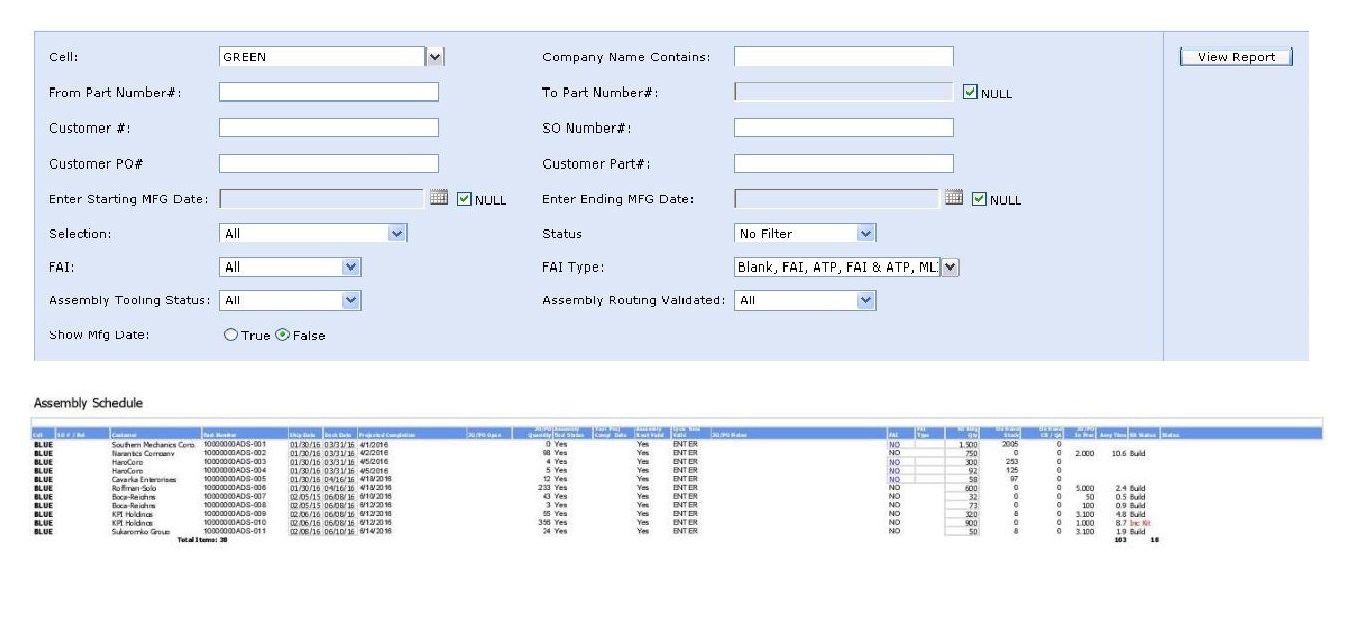
Assembly Schedule
Our Assembly Schedule shows the jobs scheduled through a specific work center. We built it as part of a larger system that combines custom FastForms fields with .NET web pages, so the report user can maintain job status and the sequence of jobs from the report itself. It links to reports on component availability for each job, the job details, and the sales order it is tied to. Jobs can be assigned to a machine and operator, and the estimated completion date can be tracked.
Machine Stop Schedule
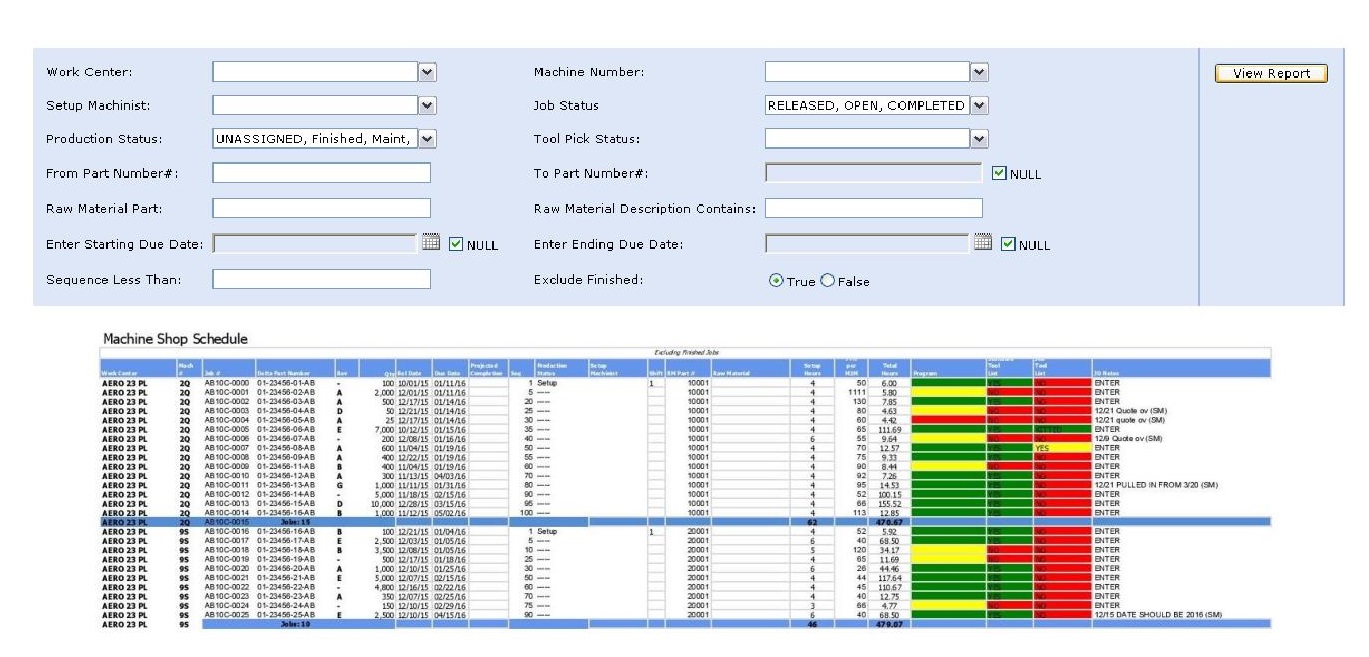
Our Machine Stop Schedule tracks each part number by work center, job number and quantity.
Labor Detail
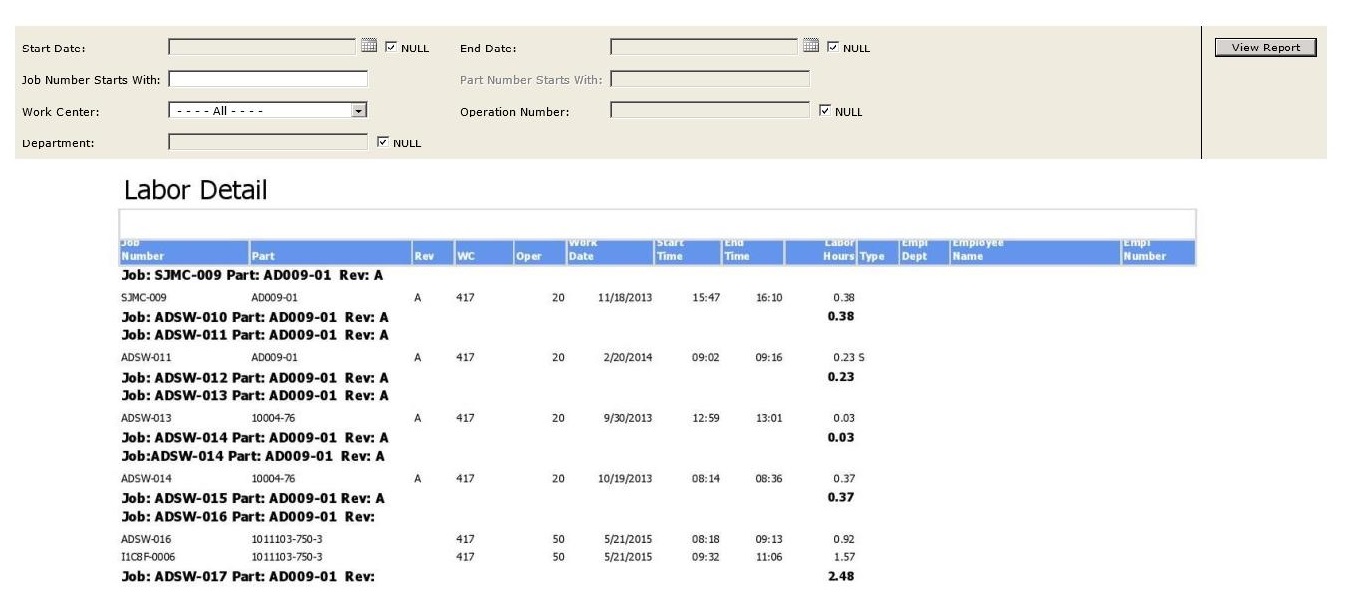
Our Labor Detail report tracks each part number by start and end time, labor hours, and the employees involved in each job.
KPI Reports
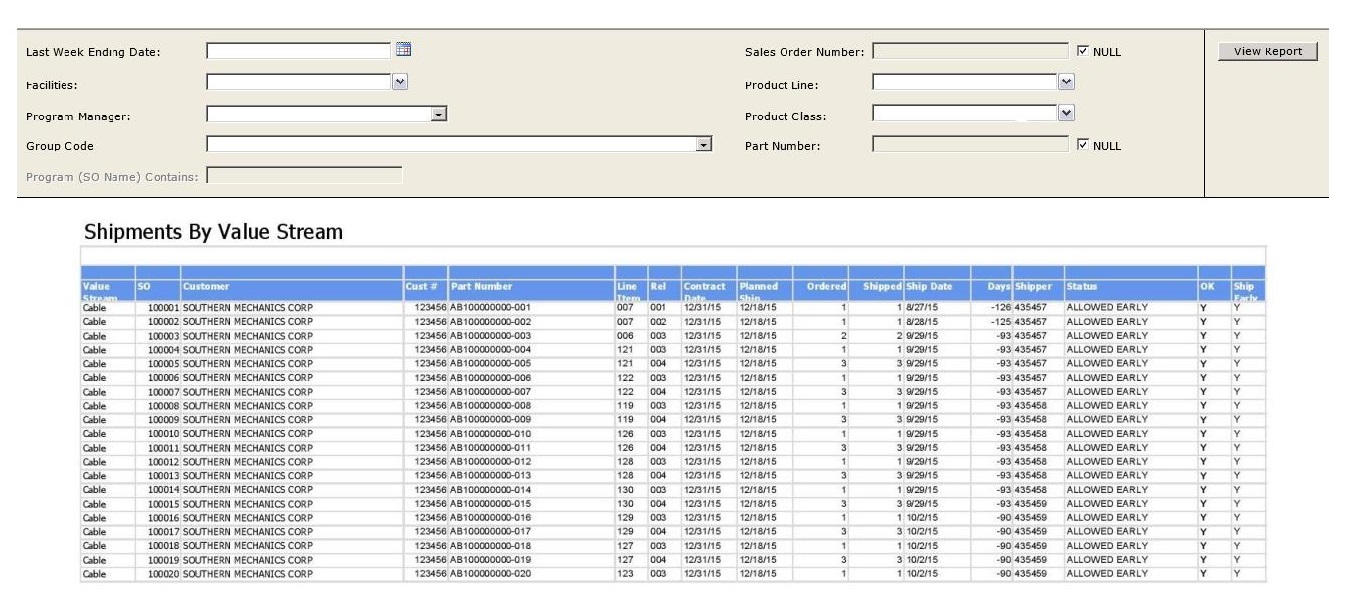
A collection of KPI reports we built in SQL Server Reporting Services, with graphs and both summary and detail views.
Takeaways
- Schedules by work center, machine and operator.
- Labor tracked by job, with start and end times.
- KPI reports in summary and detail.
More articles
Why your month-end report disagrees with the floor
Four common places a manufacturing close drifts from what the shop actually produced, and how to tell which one you have.
Map the process before you automate it
Automating a workaround just makes it permanent. A short argument for documentation first.
Customizations that survive an upgrade
The difference between a change that costs you once and one that costs you every release.
Made2Manage BOM and costing reports
Costed and exploded BOMs, a cost estimating system we built for quoting, and part availability across on hand, committed and on order.
Made2Manage tools we built
Communication Center, Workflow Management and Sales Order Import: three products we built to fill gaps in Made2Manage.
Made2Manage quality reports
Two reports we built: one finds everywhere else a defect could be, the other shows which vendors deliver when they promised.
Made2Manage sales reports
Backlog, net bookings, commission liability and gross margin by order, including a bookings system we built for ERPs that cannot track bookings on their own.
Skills, tools, and your ERP: where AI should actually touch the data
AI gets useful in a shop when it is given the right things in the right order: written know-how first, live data through controlled tools second, and the power to change anything last.